
Built for Divi
Event modules that outlive your event plugin
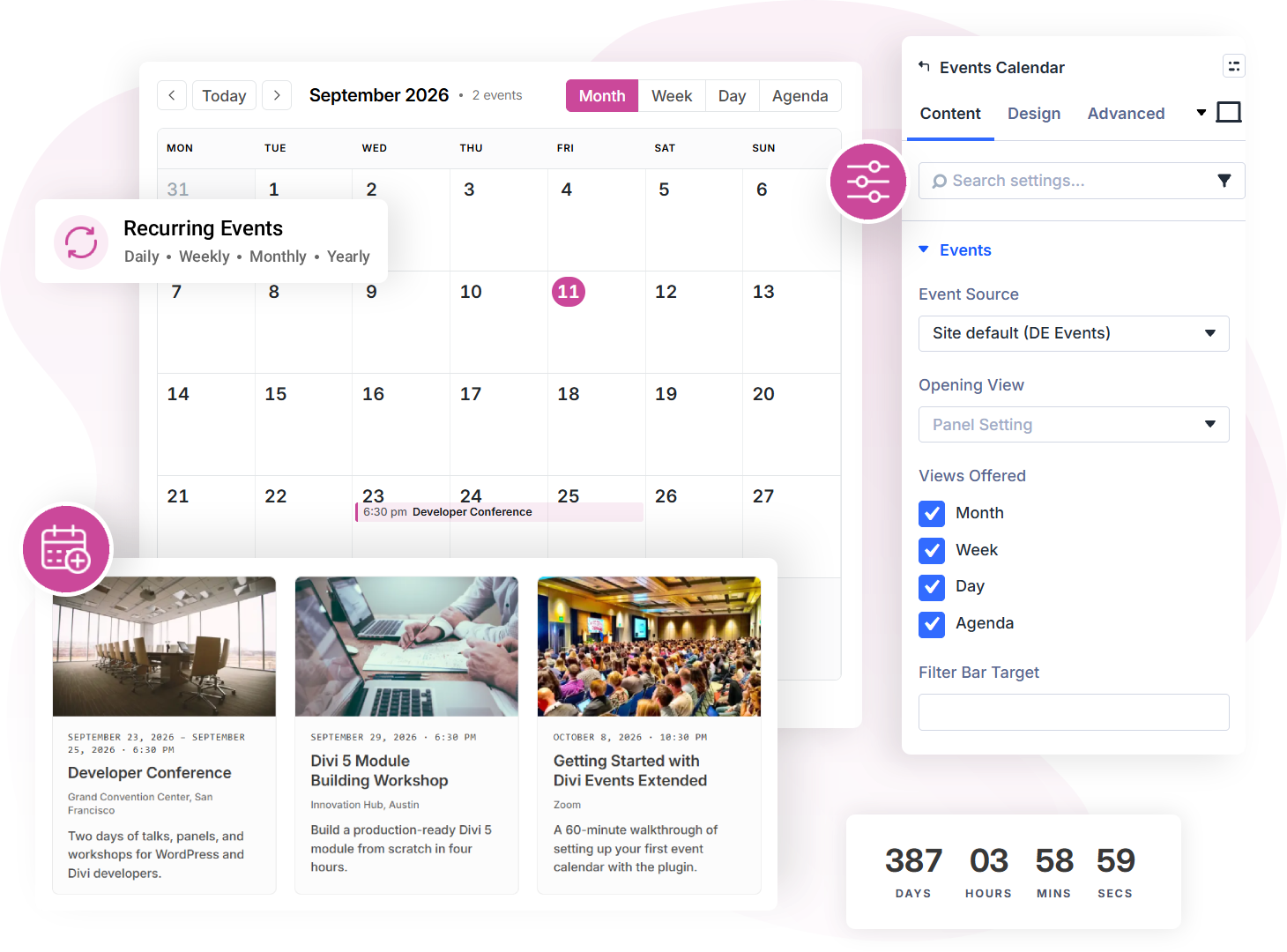
Every calendar, feed, and countdown on this site is built with Divi Events Extended modules in the Divi Builder, with no custom code. This is the demo site: browse the pages, resize the window, and click into the events.
Modules
Event Sources
Page Templates
Calendar Views
13 Modules
Every module a Divi event site needs
Eleven modules work against any source, and two more take bookings and submissions on DE Events. No module is locked behind a tier.
Events Feed
An events feed in grid, list, and compact layouts with paging, Load More, and infinite scroll
Events Calendar
An events calendar you can switch between month, week, day, and agenda views
Filter Bar
A filter bar that narrows by search, category, tag, type, venue, organizer, attendance mode, date range, and price
Event Countdown
Days, hours, minutes, and seconds to an event's start or end, ticking live.
Add to Calendar
Google Calendar, Outlook, and a downloadable .ics file on every event page.
Event Register
The ticket link or the way to the booking form, as a button. Says so when an event is sold out, waitlisted, or closed.
Event RSVP Form
Book a place on a free event, or a spot on its waitlist. The places left count down as people book.
Event Submission Form
Visitors send in their own events, with a description and a photo, for you to approve first.
Related Events
Events that share a venue, category, tag, type, or organizer with the one being viewed. The current event is left out automatically.
Event Date and Time
The schedule, split into date, clock, and timezone, each with its own typography.
Event Venue
Name, address, phone, website, and link, each styled independently. The website shows its domain.
Event Organizer
Who runs the event. Several organizers are listed with the separator you choose.
Event Status
Scheduled, cancelled, postponed, moved online, or rescheduled, as a styled badge.
Source Agnostic
One layout, any event source
The site owner picks the source once. Every module reads a normalised event. Switching your event source does not break a page you have already designed.
Switch without rebuilding
Move from The Events Calendar to built-in events, or the other way. Every module renders the same layout against the new source.
Run both at once
Keep The Events Calendar for your public calendar and use DE Events for something else. Each module is pinned to the source you choose.
Migrate when you are ready
CSV import and export, plus a one-way migration from The Events Calendar into DE Events.

DE Events
Built-in. Read and write, with bookings and submissions.
Your Layout
Same modules, same design
The Events Calendar
Read-only. Nothing is copied.
Calendar Module
Four views, server-side rendered
Month, week, day, and agenda. All survive page caching. The visitor switches between them.
Filter Bar Module
Nine filters, zero page loads
A real HTML form that works with JavaScript switched off. When scripting is available, it re-renders the list without a page load.
9 filter types
Search, category, tag, type, venue, organizer, attendance mode, date range, price
Active filter chips
Each applied filter shows as a chip. Clear All resets every control.
Target any list on the page
Wired by a named group. Any Feed or Calendar with the same name is filtered.
Everything Else
Built for real event sites
Every feature ships to every customer. There is no free tier, no pro tier, and no locked module.
Free event bookings
Turn bookings on event by event. Each date of a repeating event has its own places and waitlist.
Booking emails
A confirmation with a calendar file, a reminder before the event, and a link to give the place back.
Visitor submissions
Events sent in by visitors wait in Pending until you approve or decline them. The sender hears back either way.
A URL for every date
Each date of a repeating event has its own address, so a link opens the date it names.
Recurring events
Daily, weekly, monthly, and yearly repeat rules with exceptions. Each occurrence behaves like any other event.
Timezone-correct
Every event is stored as an exact moment with its own timezone, so times stay right across countries and daylight-saving changes.
schema.org markup
One Event node per page, with the source plugin's own markup suppressed by default.
Calendar subscriptions
.ics feeds for the whole calendar, a category, a venue, or an organizer, plus a per-event file.
CSV import and export
Move events in and out, plus a one-way migration from The Events Calendar into DE Events.
Dynamic content
Every event field available to Divi's dynamic content picker, in Theme Builder and Loop Builder.
Nine page templates
Single event, venue, and organizer pages, their archives, and the category, tag, and type archives all work on activation. A Theme Builder template takes over when you assign one.
No feature gating
A licence controls updates, not features. A lapsed licence keeps working.
Page Templates
Nine URLs, ready on activation
Every post type and taxonomy has a working page the moment you activate. Assign a Theme Builder template later and it takes over.
Single Event
Single Venue
Single Organizer
Event Archive
Venue Archive
Organizer Archive
Category Archive
Tag Archive
Type Archive
The events on this demo live in DE Events, the plugin's own built-in source. Point the same modules at The Events Calendar and these layouts render unchanged.